

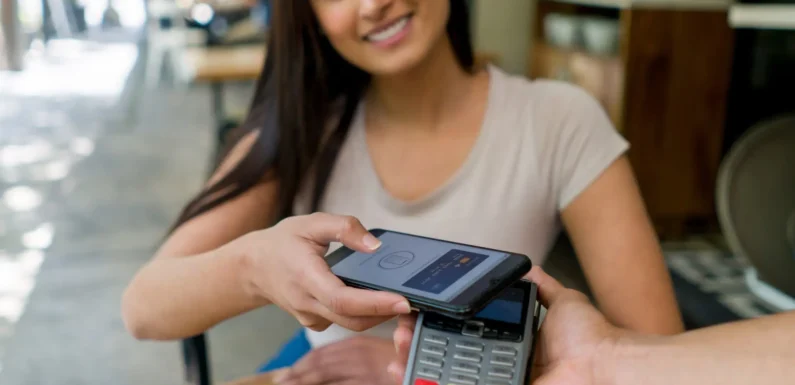
eWallet apps have become part of everyday life. From paying utility bills to splitting dinner expenses, users expect a wallet app to work instantly and securely. If the experience feels confusing, slow, or untrustworthy, they abandon it within seconds.
That is why a great e-wallet app design is not just about visual appeal. It is about helping users feel safe, complete transactions quickly, and return to the app again and again.
Whether you are building a new fintech product or refining an existing platform, thoughtful UI/UX decisions directly influence user acquisition, retention, and revenue.
In this guide, we will explore the best practices that define high-performing wallet apps across iPhone, Android, and web platforms.
Why UI/UX Matters in Digital Wallet App Development
In ewallet app development, users entrust your platform with their money, card details, and transaction history. This creates a much higher design standard than most consumer apps.
A successful wallet interface must achieve three goals:
- Build trust from the first screen
- Minimize friction during payments
- Encourage repeat usage
Apps like Apple Wallet, Google Wallet, PayPal, and PhonePe succeed because they simplify complex financial tasks into intuitive flows.
1. Design for Instant Trust
Trust is the foundation of every financial product.
Users should feel confident the moment they open your app.
Trust-Building Elements to Include
- SSL and encryption badges
- Biometric login indicators
- Recognizable payment logos
- Clear privacy and security messaging
- Real-time transaction confirmations
- Professional and uncluttered layouts
A polished e-wallet design communicates reliability. Poor spacing, inconsistent icons, or outdated visuals can make users question security.
Best Practice
Use calming colors such as blue, green, and white. These shades are widely associated with stability and safety.
2. Keep Onboarding Short and Focused
Wallet apps often lose users during signup.
Every extra field creates friction.
Effective Onboarding Flow
- Welcome screen
- Mobile number or email verification
- Set a passcode or enable biometrics
- Add bank account or card
- Quick tutorial
UX Tips
- Show a progress indicator
- Allow users to skip optional steps
- Use autofill and OTP detection
- Explain why sensitive information is required
The best e-wallet app design iPhone experiences rely heavily on native iOS components to reduce learning time.
Also read: How digital payments impact cashless transactions
3. Make Balance and Actions Visible Immediately
Users open wallet apps to check funds, send money, or review recent transactions.
Your home screen should surface these tasks instantly.
Essential Dashboard Elements
- Current balance
- Add money
- Send money
- Scan QR code
- Transaction history
- Rewards or cashback
Conversion Tip
Use a prominent primary CTA for the action users perform most often.
The strongest best e-wallet app design iOS examples keep the dashboard minimal while highlighting key functions.
4. Prioritize Speed in Payment Flows
Users expect payments to complete in seconds.
A slow interface increases drop-offs.
How to Design Faster Flows
- Minimize steps
- Auto-detect payment details
- Pre-fill saved beneficiaries
- Show loading states
- Confirm transactions immediately
Ideal Payment Flow
Enter amount → Select recipient → Review → Authenticate → Success
This streamlined approach is essential for both mobile and wallet UI design web interfaces.
5. Use Familiar Icons and Patterns
Financial apps should feel intuitive.
Avoid forcing users to interpret custom icons or unusual layouts.
Common Design Conventions
- QR icon for scan and pay
- Bell icon for notifications
- Eye icon to hide balance
- Fingerprint icon for biometric login
Consistency improves confidence and reduces errors.
6. Optimize for One-Handed Use
Most wallet interactions happen on mobile devices.
Buttons and controls should be easy to reach.
Mobile UX Guidelines
- Place primary actions near the bottom
- Use large tap targets
- Support thumb navigation
- Keep forms concise
Strong e-wallet app UI design, Android patterns often use bottom navigation and floating scan buttons for quick access.
7. Provide Real-Time Feedback
Users need confirmation that their money was sent successfully.
Feedback to Include
- Processing indicators
- Success screens with transaction IDs
- Failure explanations
- Retry options
- Push notifications
A detailed success screen reassures users and reduces support requests.
8. Design Secure Authentication Flows
Security should feel seamless, not burdensome.
Recommended Authentication Methods
- Face ID
- Fingerprint login
- PIN
- OTP verification
- Device recognition
Apps should support both convenience and fallback options.
9. Use Smart Empty States
New users may not have cards, transactions, or contacts.
Use these moments to guide them.
Examples
- “Add your first card to start paying.”
- “No recent transactions yet.”
- “Scan a QR code to make your first payment.”
Good empty states increase activation rates.
10. Build Accessibility Into the Experience
Inclusive design broadens your audience.
Accessibility Essentials
- High color contrast
- Dynamic text sizing
- Screen reader support
- Clear labels
- Error messages with guidance
Accessibility is a critical part of professional e-wallet design.
11. Simplify Error Handling
Users should know exactly what went wrong and how to fix it.
Poor Message
“Transaction failed.”
Better Message
“Payment could not be completed because your bank declined the request. Please try another payment method.”
Clear errors reduce frustration and improve conversion.
12. Use Personalization to Increase Engagement
Tailoring the experience can improve retention.
Personalization Ideas
- Favorite recipients
- Smart spending insights
- Cashback recommendations
- Bill reminders
- Local language support
13. Maintain Cross-Platform Consistency
Users may switch between iPhone, Android, and web.
The experience should feel familiar across all devices.
Consistency Checklist
- Same iconography
- Similar navigation patterns
- Unified typography
- Consistent color system
A strong design system supports scalable digital wallet app development.
14. Build Conversion Opportunities Naturally
Wallet apps are excellent channels for monetization.
High-Converting Opportunities
- Insurance offers
- Credit products
- Rewards programs
- Premium subscriptions
Present offers contextually rather than interrupting core tasks.
15. Use Analytics to Refine UX
Great wallet apps evolve continuously.
Track how users interact with each flow.
Metrics to Monitor
- Signup completion rate
- Card linking success rate
- Payment success rate
- Time to first transaction
- Retention rate
Use behavioral insights to optimize design decisions.
Platform-Specific Design Recommendations
iPhone and iOS Wallet Design
For e-wallet app design iPhone and iOS:
- Follow Apple Human Interface Guidelines
- Use Face ID
- Support Apple Pay integration
- Leverage native animations
Android Wallet Design
For e-wallet app UI design Android:
- Follow Material Design
- Support a wide range of screen sizes
- Optimize for lower-end devices
Web Wallet Design
For wallet UI design web:
- Prioritize responsive layouts
- Display security indicators prominently
- Simplify dashboards for desktop use
Common UI/UX Mistakes to Avoid
- Overcrowded dashboards
- Too many onboarding steps
- Hidden fees
- Weak error messaging
- Inconsistent navigation
- Slow loading screens
Avoiding these issues has a direct impact on user satisfaction and conversion.
Final Thoughts
The best wallet apps do more than process payments. They make users feel secure, empowered, and in control of their finances.
When you prioritize trust, speed, and conversion, your product becomes easier to adopt and harder to replace.
Whether you are planning a new e-wallet app design, refining the best e-wallet app design iOS experience, or scaling a full digital wallet app development project, great UI/UX remains one of the strongest competitive advantages you can build.
Design every interaction with clarity and confidence, and your users will reward you with loyalty.